Working with the image registry
Notes// archive From the original Code Walker docs. Kept for reference, so some versions and commands may be out of date.
It’s one thing building container images and running them locally but the core reason for working with containers is to ship them around. This is done by tagging images and pushing them to image registries. Then other users can pull application container images and run them on other platforms such as OpenShift.
This guide was down using OpenShift Local, see OpenShift Local
OpenShift Registry#
As kubeadmin you can use this command to extract the register route:
oc get route default-route -n openshift-image-registry --template='{{ .spec.host }}'default-route-openshift-image-registry.apps-crc.testingUsing Podman, log into the image registry using your OpenShift accounts by passing in the token, in this case the user developer:
oc login -u developer https://api.crc.testing:6443podman login -u $(oc whoami) -p $(oc whoami -t) --tls-verify=false default-route-openshift-image-registry.apps-crc.testingYou should see:
Login Succeeded!
Assuming the following local image:
podman imagesREPOSITORY TAG IMAGE ID CREATED SIZE
localhost/fastapi-serve-static 1.0.0 e3b37b3e5276 13 minutes ago 1.37 GB
This needs to be tagged using the image registry route, project, image name and tag.
podman tag localhost/<IMAGE_NAME>:<TAG> <ROUTE>/<OPENSHIFT_PROJECT>/<IMAGE_NAME>:<TAG>Simple Example#
Create a new OpenShift project:
oc new-project example-projectTag a local image:
podman tag localhost/fastapi-serve-static:1.0.0 default-route-openshift-image-registry.apps-crc.testing/example-project/fastapi-serve-static:1.0.0Push the image to OpenShift image registry:
Add --tls-verify=false to work around any certificate issues.
For example:
podman push default-route-openshift-image-registry.apps-crc.testing/example-project/fastapi-serve-static:1.0.0 --tls-verify=falseYou can view the image stream of a project with:
oc get isNAME IMAGE REPOSITORY TAGS UPDATED
fastapi-serve-static default-route-openshift-image-registry.apps-crc.testing/example-project/fastapi-serve-static 1.0.0 39 seconds ago
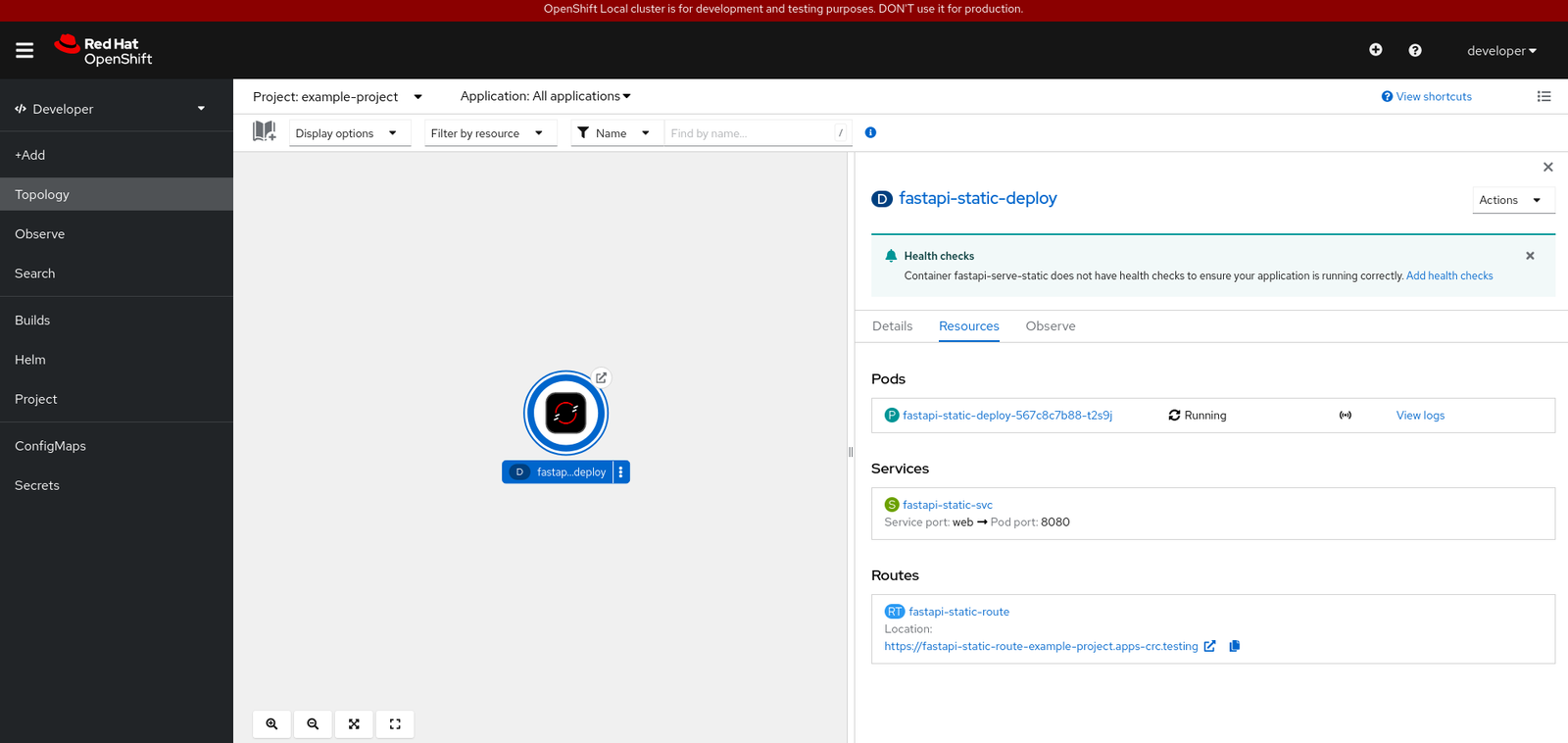
Deploy the application:
apiVersion: apps/v1
kind: Deployment
metadata:
  name: fastapi-static-deploy
  namespace: example-project
spec:
  replicas: 1
  selector:
    matchLabels:
      app: fastapi-static-app
  template:
    metadata:
      labels:
        app: fastapi-static-app
    spec:
      containers:
      - name: fastapi-serve-static
        image: image-registry.openshift-image-registry.svc:5000/example-project/fastapi-serve-static:1.0.0
        ports:
        - containerPort: 8080
oc create -f deployment.yamlWatch the pod progress with:
watch oc get podsCreate a service for the deployment:
apiVersion: v1
kind: Service
metadata:
  name: fastapi-static-svc
  namespace: example-project
  labels:
    app: fastapi-static-app
spec:
  internalTrafficPolicy: Cluster
  ipFamilies:
  - IPv4
  ipFamilyPolicy: SingleStack
  ports:
  - name: web
    port: 8080
    protocol: TCP
    targetPort: 8080
  selector:
    app: fastapi-static-app
  sessionAffinity: None
  type: ClusterIP
oc create -f service.yamlCreate a route:
kind: Route
apiVersion: route.openshift.io/v1
metadata:
  name: fastapi-static-route
  namespace: example-project
spec:
  to:
    kind: Service
    name: fastapi-static-svc
    weight: 100
  port:
    targetPort: 8080
  tls:
    termination: edge
    insecureEdgeTerminationPolicy: Allow
  wildcardPolicy: None
oc create -f route.yamlYou should now have the application deployed and exposed, for example https://fastapi-static-route-example-project.apps-crc.testing/.